

If your organization handles CUI in Microsoft 365 GCC High, you already know the environment exists for a reason — it meets the FedRAMP High baseline that CMMC Level 2 compliance demands. What catches many contractors off guard is how that separation affects something as routine as joining a Teams meeting with a commercial tenant partner.
The Problem Is Structural, Not Technical
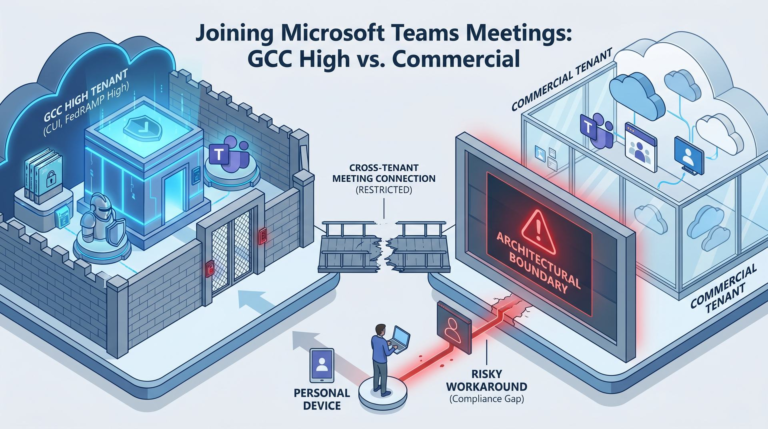
GCC High and commercial Microsoft 365 are separate cloud environments. They don’t share the same identity infrastructure, the same directory, or the same Teams federation by default. When a prime contractor on commercial Teams sends you a meeting invite, or when you send one to a subcontractor outside GCC High, the experience is not seamless.
Users may find themselves unable to join meetings through the Teams desktop client, forced into browser-based workarounds, or unable to share content during calls. This isn’t a misconfiguration — it’s the architectural boundary between FedRAMP High and commercial environments working as designed.
Why This Matters for Compliance
The real concern isn’t the inconvenience. It’s what people do to work around it.
When cross-tenant meetings are difficult, users find shortcuts. They join from personal devices. They switch to commercial Teams accounts. They share CUI-relevant files through channels that bypass the GCC High boundary entirely. Each workaround is a potential scope issue and a potential assessment finding.
Under NIST 800-171, practices like AC.L2-3.1.12 (remote access control) and SC.L2-3.13.12 (collaborative device control) require organizations to manage how remote sessions and collaborative tools are used. Your SSP needs to describe how remote collaboration works — including cross-tenant scenarios — and your actual user behavior needs to match what the SSP says.
What You Should Be Doing
Document cross-tenant meeting procedures. Your SSP and user training should explicitly address how employees join meetings with commercial tenant organizations. If browser-based access is the approved method, say so and enforce it.
Review guest access settings. GCC High customers are responsible for determining whether guest access to Teams, SharePoint Online, and other collaboration features should be enabled. Per Microsoft’s own shared responsibility guidance, government customers should disable guest access to remain compliant with FedRAMP standards where appropriate. Evaluate whether your guest access configuration matches your security posture.
Train users on what not to do. The biggest risk isn’t the technology — it’s the workaround. If users know that joining a commercial Teams meeting from a personal laptop is a boundary violation, they’re less likely to do it. If they don’t know, they will.
Evaluate the scope implications. Any device or system used to participate in meetings where CUI may be discussed must be evaluated as part of your asset categorization. A personal laptop used “just for this one call” doesn’t automatically fall out of scope — it must still be assessed based on how it interacts with your CUI boundary.
The Bigger Picture
Cross-tenant collaboration is a daily reality for most DIB subcontractors. The compliance challenge isn’t choosing GCC High — it’s operating in GCC High while your supply chain partners don’t. If your SSP describes a clean boundary but your users routinely cross it to get work done, that gap will surface during assessment.
The worst time to discover your cross-tenant collaboration procedures are undocumented is when a C3PAO assessment team asks how you handle it. If you’re not sure whether your current setup reflects what your SSP says, that’s worth validating before you lock your scope.
—